
Available appointments near you
Discover GP, pharmacy, and local appointments available to you.
Hassle-free booking
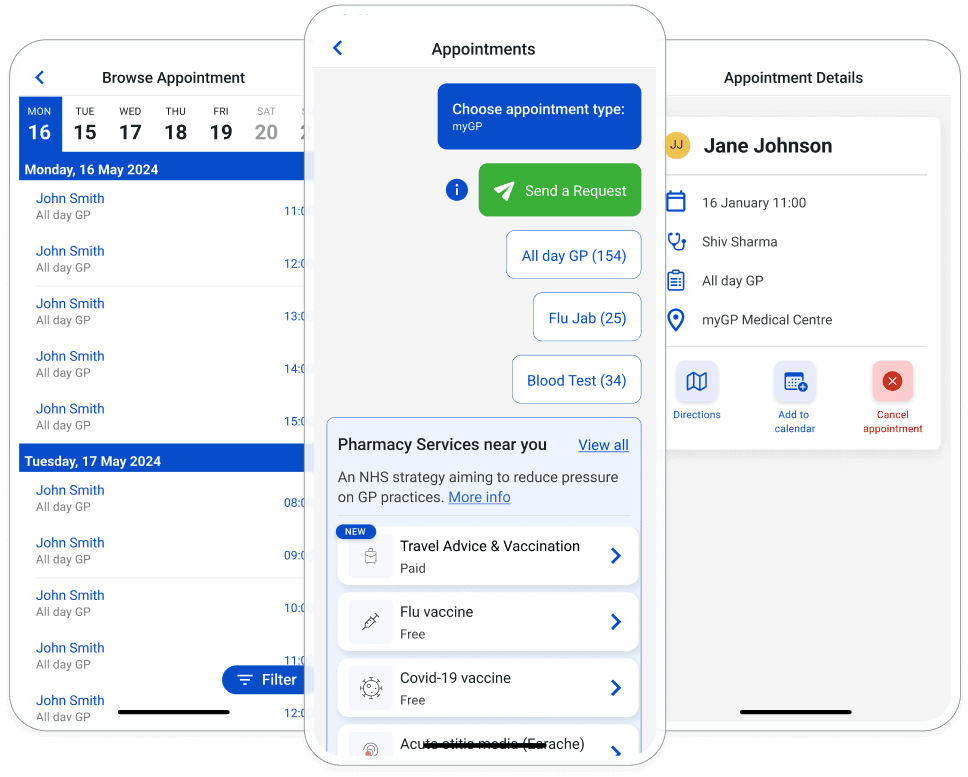
Skip the GP waiting room. Whether it’s for common conditions like urinary tract infections, flu vaccinations, or shingles, the myGP app lets you schedule appointments directly with your local pharmacy—quick, convenient, and stress-free!
- Select the relevant service
- Enter a few simple details
- Select your pharmacy of choice and book!
You can trust myGP
In the last five years, over 3 million people have booked appointments using the myGP app!Join the communitythat trusts myGP to take care of their health.

I have no problem with the clinic or pharmacy, I always find I can get an answer to all my needs when needed

10mojo10

Nov 12, 2024
FAQs
Booking appointments through the myGP app is quick and easy!
- For pharmacy appointments: Tap “Book Pharmacy Appointment,” select the service you need, and provide a few basic details. When prompted, allow location access on your phone to see nearby pharmacies.
- For GP appointments: Tap “Book Appointment,” choose your GP surgery location, select the appointment type, pick a date, and confirm your booking.
To cancel an appointment, select the confirmed appointment from the homepage of the app. Select the Cancel Appointment button.
While rescheduling might not be directly possible in the app, you can cancel the current appointment and book a new one that suits you, provided slots are available.
Anything you need help with?
Feel free to send a message to our support team.